

Bottom Line: Heptabase is a formidable cognitive workbench that successfully bridges the gap between atomic note-taking and spatial reasoning, though it demands both a mental shift and a recurring financial commitment.
The Spatial Shift
The transition from a list-based life to a spatial one is not a minor adjustment; it is a fundamental rewiring of how you interact with data. In most apps, the relationship between two notes is invisible—hidden behind a hyperlink or a shared folder. In Heptabase, that relationship is literal and visual. When you draw an arrow from a "Market Trends" card to a "Product Strategy" card, you aren’t just linking them; you are defining a vector of thought.
This approach significantly reduces cognitive overhead. Instead of trying to remember where you filed a specific insight, you remember where it sits in relation to other ideas. The app’s performance is "blazing fast," which is critical here. If there were even a micro-second of lag when zooming out from a single card to a massive 500-card whiteboard, the illusion of a physical workspace would shatter. Fortunately, the engineering team has prioritized fluid navigation, making the act of "flying" over your ideas feel natural rather than mechanical.
The Research Pipeline
The real "aha" moment in Heptabase happens during the research phase. The integrated PDF reader is the app's secret weapon. In a standard workflow, you’d read a paper, copy a quote, and paste it into a separate app, losing the tether to the source. Heptabase keeps the umbilical cord intact. Highlighting a passage and dragging it onto the whiteboard creates a linked card. Months later, you can click that card and the app will instantly open the PDF to the exact highlight.
This creates a high-velocity feedback loop. You aren't just collecting highlights; you are building a constellation of evidence. However, this power comes with a steep learning curve. Users accustomed to the "top-down" structure of traditional note-taking may find the infinite canvas overwhelming. There is no "right" way to organize a whiteboard, and for some, that lack of guardrails leads to "canvas paralysis"—the digital equivalent of writer's block.
AI and Structured Data
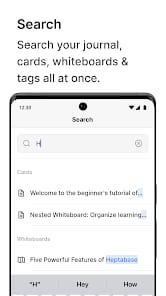
While the whiteboard is the star, the inclusion of a tag-based database ensures the app remains functional for project management. It feels like a necessary concession to the "Notion generation." You can flip from a messy brainstorming canvas to a clean, filtered table of tasks in a single click. The AI features are less about gimmicky chat and more about retrieval. Being able to ask, "What were the common themes in my last three research sessions?" and having the AI scan your cards is a genuine utility, provided you’ve put in the work to populate the system with quality data.