
Bottom Line: Kodi stands as the preeminent, albeit demanding, solution for media enthusiasts seeking absolute control over their digital libraries, a powerful, open-source hub that requires dedication to master.
Kodi is a potent example of open-source software fulfilling a critical niche: the comprehensive, customizable media hub for those who find commercial offerings too restrictive or limited. Its power lies in its unyielding flexibility, but that very strength introduces an inherent complexity. This is not a "download and go" application in the vein of a Netflix or Hulu. Onboarding friction is significant; configuring Kodi to its full potential demands a willingness to engage with settings menus, understand network protocols, and experiment with various add-ons and skins. The payoff, however, is immense: a media experience precisely tailored to the user's needs, unfettered by corporate curation or geographic restrictions.
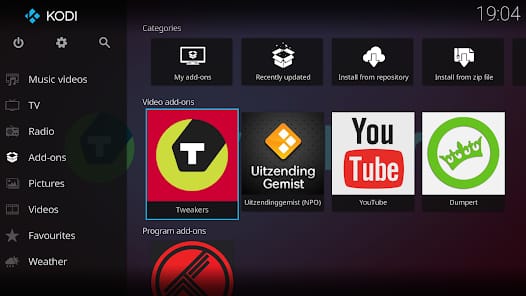
The utility's design philosophy prioritizes power users. The default interface, while functional, often feels like a blank slate, awaiting the user's creative input. The true magic happens within its add-on ecosystem. This is both Kodi's greatest asset and its primary point of controversy. Legitimate add-ons provide access to niche content, integrate personal cloud storage, or offer utility functions like subtitle downloading. However, the open nature of the platform also means that third-party developers can create add-ons that facilitate access to unsanctioned or illegal content. While the Kodi Foundation maintains a strict stance against piracy and does not endorse such add-ons, their existence has cast a shadow on the platform's reputation, often leading to mischaracterizations of Kodi itself as a tool for illegality. This tension highlights a fundamental aspect of open platforms: they empower users, for better or worse.
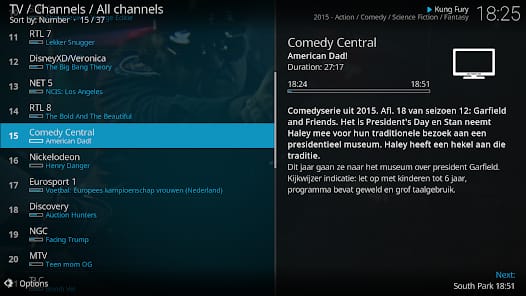
The media management capabilities of Kodi are truly exceptional. Its ability to not only play almost any format but also to meticulously organize and enrich libraries with metadata from various scrapers is transformative. For individuals with sprawling collections of movies, TV shows, and music across various storage devices, Kodi becomes the definitive front-end. It allows for the creation of smart playlists, genre browsing, actor filmographies, and a host of other features that elevate simple playback into a curated exhibition. This granular control over one's media experience is what truly distinguishes Kodi from more consumer-oriented media players. It’s a tool built for ownership, not just consumption. The application performs remarkably well, leveraging local resources for decoding and rendering, which often translates to smoother playback and quicker navigation than cloud-based streaming solutions, especially with high-bitrate content. Its architecture, designed for efficient media handling, ensures that even on lower-powered devices, the core experience remains fluid.
User Experience
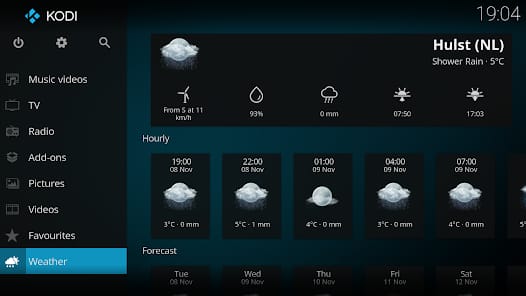
Kodi’s user experience is a study in contrasts. The initial setup can be daunting, a labyrinth of settings, source configurations, and add-on installations that can easily overwhelm novices. Yet, once configured, the daily interaction often feels intuitive, especially with a well-chosen skin and optimized add-ons. Navigation through large media libraries becomes a fluid, visual process, rich with artwork and detailed information. The sheer breadth of customization means that no two Kodi installations are precisely alike, reflecting the unique preferences of their owners. This level of personalization, while requiring effort upfront, engenders a deep sense of satisfaction and ownership that few other media platforms can rival. However, the learning curve, particularly around troubleshooting add-on issues or optimizing performance, remains the primary barrier to entry for mainstream users.