

Bottom Line: Moonlight is the rare open-source project that doesn't just match commercial alternatives—it obliterates them, provided you have the technical stomach for the setup. It transforms your high-end PC into a private, high-fidelity cloud server without the subscription tax.
The Hardware-First Philosophy
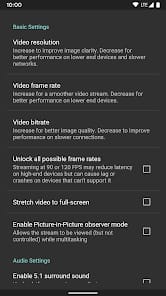
Moonlight does not care about your feelings; it cares about your frame timings. While commercial services like GeForce Now or Xbox Cloud Gaming prioritize a "smooth" experience by occasionally smearing the image or dropping frames to maintain a connection, Moonlight gives you the raw controls. You are responsible for the bitrate, the resolution, and the frame rate. This granular control is its greatest strength. On a robust Wi-Fi 6 network, the input latency is frequently sub-10ms, a threshold where the human brain stops perceiving the "floaty" sensation typical of remote play.
The core of the experience is the Direct Rendering approach. Unlike other apps that might wrap a video player inside a UI, Moonlight feels integrated into the Android OS. When you fire up a game, the handshake between the client and the host is remarkably fast. There is no waiting for a virtual machine to spin up in a data center in Virginia; your PC simply wakes up, and you’re in.
The Technical Tax
Let’s be clear: the onboarding friction is real. This is not an app you hand to a casual user and expect them to be playing Cyberpunk 2077 five minutes later. The death of NVIDIA’s official GameStream support means most users must now install Sunshine on their host PC. This involves navigating web-based configuration toolkits, managing pairing codes, and, if you want to play outside your home, wrestling with port forwarding or setting up a VPN like Tailscale.
For the average consumer, this is a deal-breaker. For the tech critic, it is a badge of honor. Moonlight doesn't hide its complexity behind "seamless" marketing speak because that complexity is what allows for the specialized optimizations that make 4K 120 FPS streaming possible. If you are willing to spend an hour in your router settings, the reward is a "magic" experience that makes your phone feel like a portable RTX 4090.
Interface vs. Utility
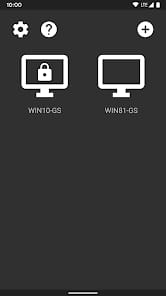
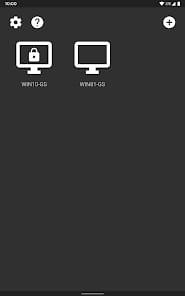
The interface is sparse, bordering on utilitarian. It’s a list of icons on a grid. There are no social feeds, no "suggested games," and no bloat. It is a portal, and it treats itself as such. This lack of skeuomorphism or modern "app-ness" is refreshing. It gets out of the way. However, the initial pairing process can feel a bit like 2012-era Android—functional, but unrefined.
Where the analysis truly matters is in input consistency. Playing a fast-paced shooter like DOOM Eternal or a frame-perfect platformer via streaming is usually an exercise in frustration. Through Moonlight, the controller polling is tight. The app handles the XInput translation with such efficiency that you forget there’s a network cable (or wireless signal) between you and the CPU. This is the only streaming utility I’ve tested where I didn't feel I was at a competitive disadvantage in single-player titles.