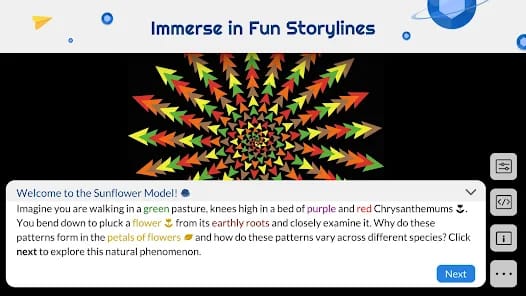

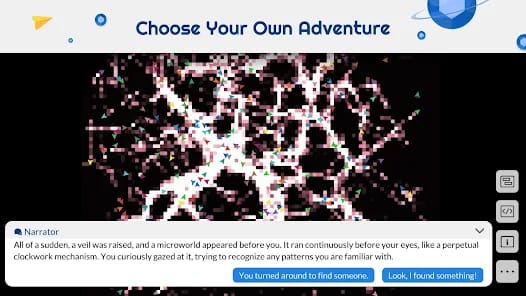
Bottom Line: NetLogo remains the unrivaled gold standard for agent-based modeling, translating complex systems into accessible simulations, though its desktop-first DNA struggles against the constraints of mobile hardware.
The Architecture of Emergence
NetLogo’s brilliance lies in its rejection of top-down modeling. In traditional simulations, you might use a complex equation to describe a population's growth. In NetLogo, you simply tell an individual agent to "reproduce if you have enough energy" and "move if there is no food." When you run the simulation with three thousand agents following those two rules, you witness the birth of a complex ecosystem.
This bottom-up approach is fundamentally more intuitive for the human brain. We understand individual actions better than abstract calculus. By making the "turtle" the primary unit of logic, NetLogo democratizes computational thinking. The software handles the heavy lifting of the scheduling and spatial logic, leaving the user free to experiment with the "why" of the system.
The Programming Paradox
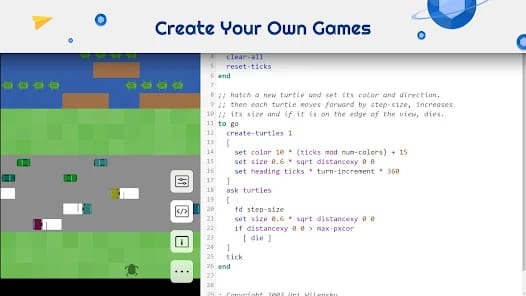
The dialect of Logo used here is remarkably readable. Commands like ask turtles [ forward 1 ] or if pcolor = green [ eat ] make the onboarding friction significantly lower than languages like Python or R for the same purpose. However, do not mistake readability for simplicity. NetLogo supports sophisticated data structures, extensions for GIS (Geographic Information Systems), and links to external languages.
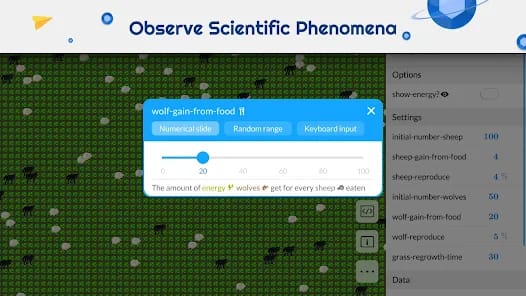
The core loop for a user involves picking a model, tweaking sliders to adjust variables, and—for the more adventurous—diving into the "Code" tab to rewrite the rules of the universe. This transparency is NetLogo's greatest strength. It isn't a "black box"; every simulation is an open book that invites you to change a line of code and see what happens to the resulting graph.
The UX Bottleneck
The transition to mobile, however, reveals the cracks in the foundation. NetLogo’s interface is unapologetically skeuomorphic and dated. It feels like a piece of software that was frozen in time circa 2005. On a desktop, the clutter of sliders, buttons, monitors, and plots is manageable. On an Android tablet, it starts to feel claustrophobic. The "high ceiling" of the software requires a level of precision—especially when editing code—that touchscreens are notoriously bad at providing.
The application is essentially a container for a complex desktop environment. While the port is stable, it lacks the fluid gestures and intuitive navigation we expect from modern mobile apps. There is a palpable tension between the power of the engine and the friction of the interface.