


Bottom Line: Plex remains the gold standard for personal media management, offering unparalleled organization and streaming prowess, yet its sprawling feature set and occasional interface stumbles hint at a platform straining under the weight of its own success.
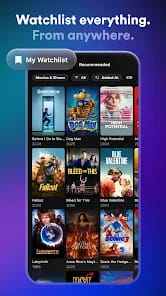
Plex, at its zenith, delivers on a promise few others can match: transforming a chaotic digital media hoard into a pristine, Netflix-esque catalog. The core competency—the Plex Media Server—is where the magic truly happens. Once configured, it dutifully scans your directories, identifying everything from obscure indie films to entire TV series box sets, meticulously pulling down high-quality artwork, descriptive text, and a wealth of contextual information. This automated metadata enrichment is a marvel, elevating simple file playback into a genuine discovery experience. The thrill of seeing a lovingly curated library spring to life, complete with genre categories, watch progress, and even theme music for TV shows, is the primary draw for anyone serious about their personal media.
The ubiquity of Plex clients is another undeniable strength. The ability to pause a movie on your living room smart TV, then pick it up seamlessly on your smartphone during a commute, speaks volumes about the platform's commitment to cross-device continuity. This isn't merely about convenience; it's about making your content truly portable and breaking down the silos that often plague personal media collections. However, the path to this idyllic media haven is not always smooth.
Interface & Setup
The setup process for the Plex Media Server, particularly for those delving into advanced configurations like custom libraries, network-attached storage (NAS) integration, or remote access, can be a steep climb for the uninitiated. While the basic installation is straightforward, troubleshooting network issues, firewall exceptions, or optimal transcoding settings often requires a level of technical aptitude that some users may find daunting. This onboarding friction is a significant barrier for less tech-savvy individuals, sometimes leading to a less-than-optimal initial experience. Furthermore, while the client applications are largely functional, feedback consistently points to occasional UI lagging. This isn't a showstopper, but a jerky scroll or a delayed menu response undermines the premium feel Plex strives for, particularly in an era where polished, responsive interfaces are the norm.
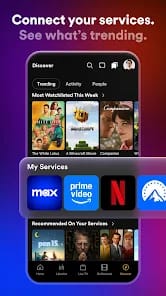
The expansion into free, ad-supported content, while an understandable business diversification, introduces a layer of complexity that occasionally blurs Plex's identity. While the additional content is a welcome bonus for some, it can feel like bloat to purists who primarily use Plex for their own media. The interface, in some iterations, has struggled to elegantly distinguish between personal libraries and Plex's own streaming offerings, sometimes burying user-owned content amidst a sea of curated, ad-supported alternatives. This strategic pivot, while opening new revenue streams, risks alienating a segment of its core user base if not executed with extreme care.
The Plex Pass subscription model is where the platform truly unlocks its power. Features like hardware transcoding, which significantly improves streaming performance on less powerful servers, and DVR capabilities for live TV, are essential for power users. The ability to download content for offline viewing is a godsend for travelers, and the dedicated music player, Plexamp, offers a superior audio experience for audiophiles. These premium features solidify Plex's position as a robust, professional-grade media hub, but they also underscore that the "best" Plex experience comes with an ongoing cost, pushing the free tier into a more feature-limited, almost trial-like status for demanding users. The value proposition of Plex Pass is strong, but it subtly reshapes the perception of the "free" Plex experience.