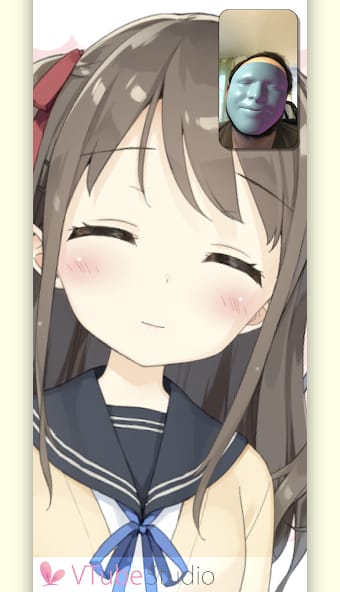



Bottom Line: VTube Studio sets the industry standard for Live2D VTubing, offering a powerful, cross-platform solution that transforms high-quality face tracking from a smartphone into professional-grade character animation for streaming and content creation.
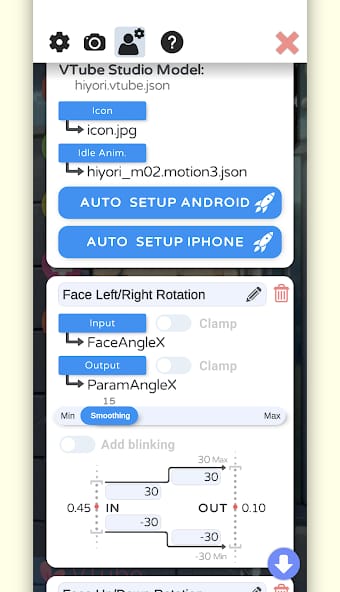
The workflow within VTube Studio is a masterclass in production-oriented design. At its core, the experience is about separating the capture process from the production environment, a division that affords immense flexibility. A creator’s journey begins by loading a Live2D model into the desktop application. From there, a vast array of configuration options becomes available. The user maps the tracking inputs from their mobile device to the corresponding parameters of their avatar model. This is a crucial, one-time setup process that defines the character's expressive range. VTube Studio excels by making this complex task manageable through a clear, albeit dense, user interface.
The Production Environment
Once configured, the desktop client becomes a digital stage. Users can load backgrounds, position props, and even attach items directly to their avatar that react with simulated physics. The hotkey system is particularly powerful, allowing for instantaneous triggering of expressions, animations, or model changes with a single button press. This focus on repeatability is what elevates VTube Studio from a novelty to a genuine productivity tool. A creator can design a complete scene—lighting, background, props, and avatar position—and save it for immediate recall. For a daily streamer, this reliability is non-negotiable. The software understands that for content to be produced at scale, the setup must be both consistent and efficient.
Tracking and Performance
The quality of the final performance is contingent on the tracking source, and this is where VTube Studio’s platform-specific strengths become apparent. When paired with an iPhone or iPad equipped with a Face ID camera, the tracking is nothing short of exceptional. The depth sensor provides a level of precision that captures minute facial twitches and expressions, translating into an incredibly lively and authentic on-screen presence. While Android's ARCore-based tracking is highly functional and accessible to a wider range of devices, it generally lacks the pinpoint accuracy of its Apple counterpart. However, for most use cases, it remains a perfectly viable option. The software provides extensive calibration tools to mitigate these hardware differences, allowing users to amplify or dampen specific tracking inputs to better match their performance style and avatar’s design. This granular control ensures that creators can achieve their desired result regardless of the input hardware.