
Bottom Line: Zotero isn't just another utility; it's a foundational pillar for serious academic and research work. It masterfully tames the chaos of information gathering, making it an indispensable, if occasionally spartan, digital assistant for anyone whose currency is knowledge.
The lifecycle of a research project is a messy, non-linear journey, and a tool’s true worth is measured by how well it adapts to that chaos. Zotero doesn't just accommodate this reality; it thrives on it. Its entire architecture is built to capture, contain, and bring order to the sprawling web of information that defines modern scholarship.
The Capture Engine
The workflow begins with the browser connector, and it is here that Zotero first reveals its power. Navigating to a journal article on JSTOR, a news story in The New York Times, or a book listing on Amazon, the Zotero icon in the browser toolbar morphs to reflect the content type. One click, and the system vacuums up everything it can find: authors, publication date, abstract, DOI, and, most critically, the full-text PDF if available. This process is astonishingly reliable. It removes the friction of downloading, renaming, and filing documents, a seemingly small convenience that compounds into massive time savings over the course of a project. The system isn't perfect—it occasionally stumbles on poorly formatted websites—but its hit rate is remarkably high.
The Organizational Hub
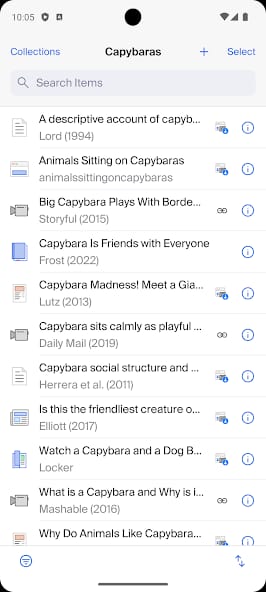
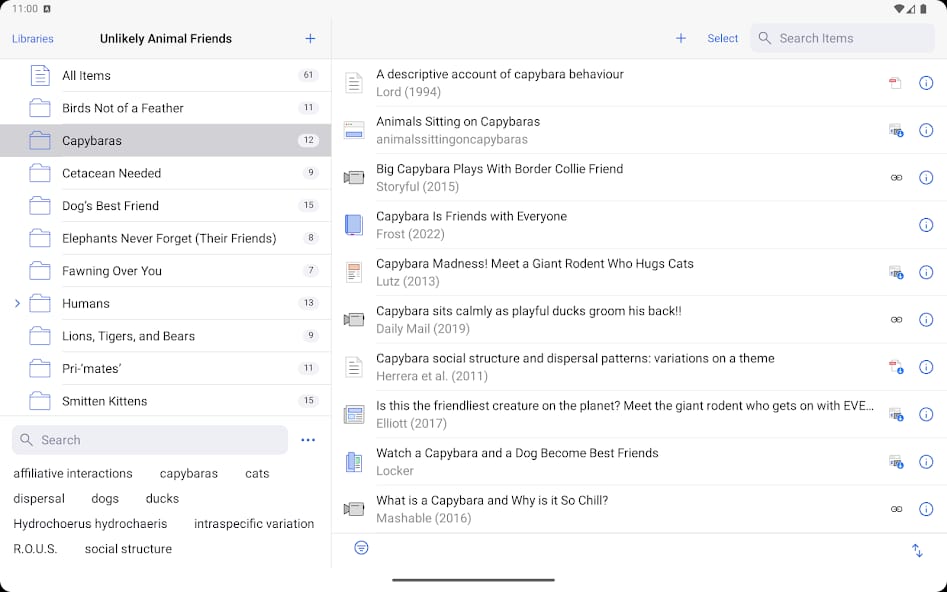
Once captured, items land in the desktop client, the heart of the Zotero experience. The interface is dense and utilitarian. It feels less like a modern web app and more like a piece of professional-grade software, akin to a video editor or a music production suite. There is no hand-holding. This is a tool that trusts its users to be intelligent. You can organize items into collections (which function like playlists, allowing an item to be in multiple places at once) and apply a limitless number of tags.
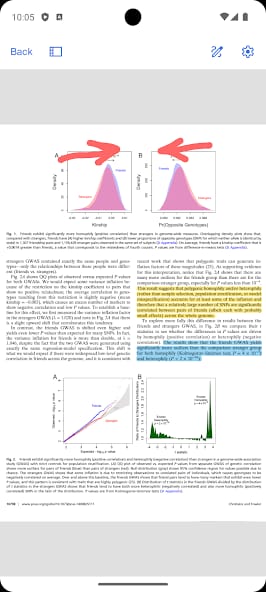
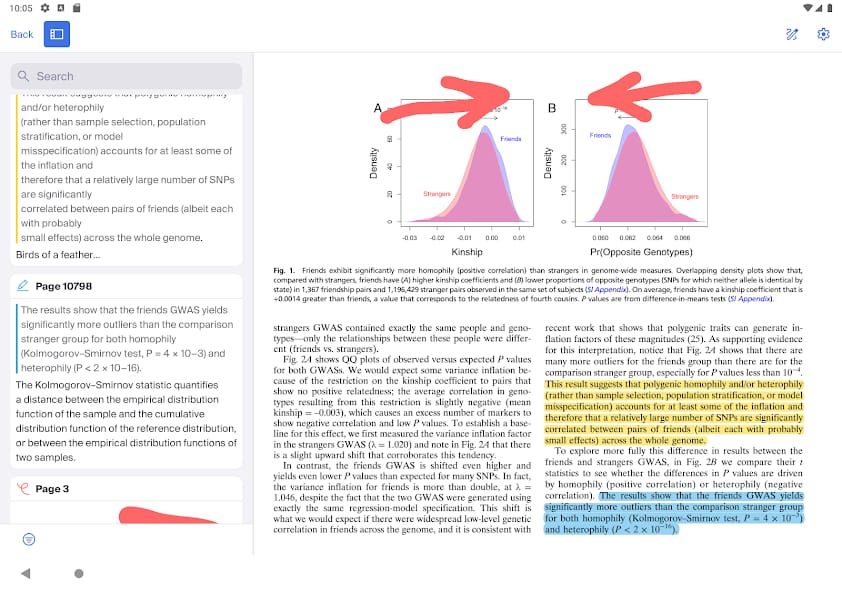
But the killer feature is the automatic full-text indexing. Every PDF, every saved webpage, every note you take is indexed and searchable. This transforms Zotero from a simple bibliography manager into a genuine research partner. You are no longer searching for a specific paper you half-remember; you are searching your entire library for a concept. This capability alone fundamentally alters the research process, enabling connections and discoveries that would otherwise be lost in a sea of disconnected files. The integrated PDF reader and note-taking system further centralize the workflow, allowing for direct annotation and synthesis within the Zotero ecosystem itself.
The Citation Powerhouse
The final piece of the puzzle is the word processor integration. After installing the plugin, a Zotero toolbar appears in your writing environment. With a few keystrokes, you can drop a perfectly formatted citation directly into your text. As you write, Zotero keeps track of every source you cite. When you're done, you click a single button to generate a complete bibliography, formatted to the esoteric specifications of whatever journal or institution you need to appease. Need to switch from APA to Chicago style? It’s a single click. This feature is Zotero's masterstroke, a moment of pure digital magic that solves one of the most tedious and error-prone tasks in academic writing.