
Bottom Line: Concepts is a precision instrument disguised as a sketchbook, offering an infinite spatial sandbox that rewards technical rigor while punishing those looking for a simple doodle pad. It is the definitive bridge between free-form brainstorming and CAD-level accuracy.
To understand Concepts, you have to understand the inherent limitation of the digital "pixel." In a raster environment, once you commit a stroke to the screen, it becomes part of the permanent soup of the layer. Concepts rejects this. By utilizing a vector-based architecture, it treats your input as data points. This allows for a level of post-processing flexibility that feels like magic. If a line is slightly off-angle, you don't erase it; you grab it and "nudge" it into place. This workflow drastically reduces the cognitive load of "getting it right the first time," allowing for a more fluid, experimental approach to technical drafting.
The Spatial Logic of the Infinite Canvas
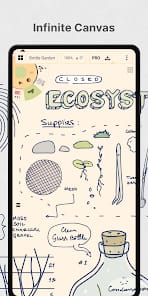
The "Infinite Canvas" is often touted as a gimmick, but here it serves a vital psychological function. Traditional software forces you to define your boundaries before you’ve even had an idea. Concepts flips this. You start with a point of interest and expand outward in any direction. For architects and UX designers, this is a revelation. You can sketch a user flow that spans several virtual meters, or a building section that transitions into a detailed site plan, all within the same "file." The app’s ability to handle this without lag is a feat of engineering, though it does require the user to be disciplined with organization to avoid losing themselves in their own sprawling creations.
Precision as a Core Mechanic
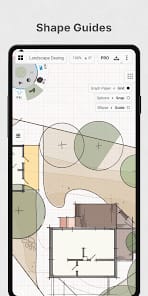
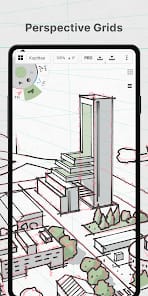
While the brushes—watercolors, pens, and pencils—feel remarkably organic and respond beautifully to pressure and tilt, the real power lies in the technical overlays. The grid system is remarkably robust, offering isometric, perspective, and architectural layouts that act as a skeleton for your work. When you toggle on live snapping, the app moves from a sketchpad to a precision tool. It calculates measurements in real-time based on your defined scale, making it one of the few mobile applications that can legitimately replace a drafting table for early-stage professional work.
The Interface Paradox
TopHatch has opted for a minimalist tool wheel that sits in the corner of the screen, staying out of the way of your workspace. It’s an elegant solution to the problem of screen real estate on tablets, but it comes with a steep onboarding friction. New users will likely find themselves hunting for basic functions buried in sub-menus or hidden behind specific gestures. The app demands a "lean-in" experience; you have to learn its language. This isn't an app you master in twenty minutes. However, once the muscle memory takes hold, the interface disappears, leaving only the creator and the canvas. The trade-off for this power is a subscription model for the most advanced features and cross-platform syncing—a bitter pill for some, but a standard industry tax for professional-grade software.