


Bottom Line: Kiwix is a vital digital lifeline that succeeds in its radical mission to democratize knowledge, transforming any smartphone into an exhaustive, offline repository of human achievement—provided you have the storage and patience for its massive downloads.
The Logistics of Local Knowledge
The core experience of Kiwix begins not with a search, but with a download. This is where the app’s primary friction lies. To get the "Full English Wikipedia" experience, you aren’t just installing an APK or an IPA; you are committing to a file that can exceed 90GB. This is a staggering amount of data for the average smartphone, and it requires a shift in how we think about mobile storage. The onboarding friction is high—you must navigate a library of "ZIM" files, choose the right version (with or without images), and then wait. On newer Android versions, navigating storage permissions to ensure the app can actually "see" these massive files on an SD card can feel like a chore.
However, once that hurdle is cleared, the magic of Kiwix reveals itself. The search engine is remarkably optimized. Searching for a term across millions of offline articles results in near-instantaneous results. This isn't just a simple keyword match; it’s a sophisticated index that feels as responsive as a live Google search.
Interface and Utility
The user interface is utilitarian to a fault. It avoids the skeuomorphism of digital bookshelves in favor of a clean, browser-like layout. While functional, the UI lacks the polish of modern premium readers. Navigating between different libraries—say, jumping from a collection of TED Talks to a Project Gutenberg archive—can feel slightly clunky. The "Library" tab serves as your command center, but the sheer volume of available content can lead to a "paradox of choice" for new users.
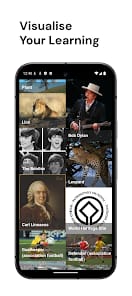
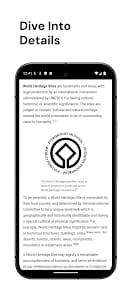
Where Kiwix truly shines is in its searchable indices. Browsing an offline Wikipedia feels indistinguishable from the live site, minus the broken image links you might expect from a compressed archive. The app handles internal links beautifully, allowing for the classic "Wikipedia rabbit hole" experience even in the middle of a desert or a basement. For educators, the ability to create local hotspots is the standout feature. It bypasses the need for expensive infrastructure, allowing a single device to serve an entire school. This isn't just software; it's a social equalizer.
Technical Hurdles
We must address the elephant in the room: download stability. For an app designed for people with "unreliable internet," the process of fetching 50GB files is ironically difficult. If a download fails at 90%, the app doesn't always handle the resume gracefully. Users often find themselves using external download managers to grab the ZIM files and then manually importing them—a workflow that is too complex for the average consumer but expected by the "power user" crowd Kiwix often attracts.