

Bottom Line: Paperless-ngx is the definitive answer to the "paperless office" myth, offering a sophisticated, self-hosted fortress for your data that turns the chaos of physical archives into a searchable, intelligent digital brain.
The brilliance of Paperless-ngx lies not in what it does, but in what it removes: friction. Most document management systems fail because they require the user to be a part-time librarian. You scan a document, you name it, you tag it, you file it. Eventually, the overhead becomes too much, and the "To Be Filed" pile wins the war. Paperless-ngx breaks this cycle by automating the most tedious parts of the digital archival process.
The "Consume" Workflow
The core of the experience is the Consume Folder. This is the gateway to your archive. You can point a network-attached scanner directly to this folder, or use a tool like Syncthing to dump mobile photos into it. Once a file touches this folder, Paperless-ngx wakes up. It invokes Tesseract OCR, turning a flat image of a receipt into a searchable text document. The speed at which this happens is impressive, though heavily dependent on your host hardware. On a modern NAS or a dedicated NUC, the ingestion is nearly instantaneous.
Machine Learning and the Death of Manual Tagging
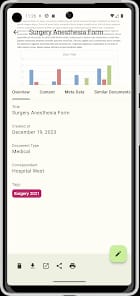
Where Paperless-ngx truly separates itself from its peers is the matching algorithm. As you begin to manually tag your first few dozen documents—marking a utility bill as "Utilities" and "Monthly"—the system starts to learn. It looks for patterns in the text, the layout, and the sender. Within a few weeks, the system reaches a tipping point where you no longer need to intervene. You scan a document, and by the time you open the web interface, Paperless-ngx has already correctly identified that it’s a medical bill from Dr. Smith and filed it under "Health." This isn't just a gimmick; it’s the difference between a tool you use for a week and a tool you use for a decade.
Interface and Information Density
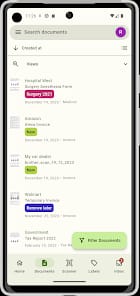
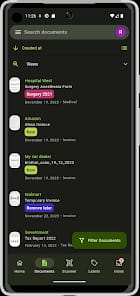
The web-based UI avoids the trap of being either too sparse or too cluttered. It favors information density and functional layout. The dashboard can be customized with widgets that show recently added documents or specific "Saved Views"—effectively smart folders based on complex filter criteria. If you want a view that only shows "Unpaid Invoices" from the "Last 30 Days" tagged with "Urgent," you can create it in seconds.
However, the power of the interface comes with a learning curve. Hiding behind the clean lines are complex logic gates for filtering. While the onboarding friction is low for basic use, mastering the advanced search syntax requires a trip to the documentation. This is a tool for power users who enjoy the process of curation, even if the automation does the heavy lifting.
The Self-Hosted Trade-off
We have to talk about the elephant in the room: deployment. Paperless-ngx is primarily a Docker-based solution. While this ensures that the application is isolated and easy to update, it presents a significant barrier to entry for the average consumer. You aren't "installing" this; you are "orchestrating" it. For those comfortable with a terminal or a tool like Portainer, it’s a dream. For everyone else, the lack of a simple one-click Windows or Mac installer may feel like a gatekeeper. But this is a deliberate choice. By being self-hosted, Paperless-ngx guarantees that your sensitive financial and personal documents never leave your local network. In an era of constant data breaches, that peace of mind is worth the price of admission.