

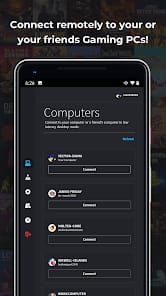


Bottom Line: Parsec is the gold standard for remote access, delivering a "local-feel" experience that finally makes remote gaming and high-end creative work viable over a standard internet connection.
To understand why Parsec matters, you have to understand the physics of the "input lag" monster. Most remote desktop tools treat a screen like a series of static images to be updated. Parsec treats it like a high-bitrate video stream that must be synchronized with your mouse and keyboard in real-time. The result is a mechanical fluidity that is, frankly, startling the first time you experience it.
The Mechanics of Response
The brilliance of Parsec lies in its optimization of the stack. By leaning heavily on modern hardware encoders (NVIDIA, AMD, and Intel), it offloads the heavy lifting of video compression to dedicated silicon. This means your CPU isn't screaming while you're trying to render a 3D model remotely. In my testing, the overhead is remarkably low. However, this is also Parsec's primary barrier to entry: it is unapologetically demanding of your hardware. If you’re trying to host a session on a decade-old integrated GPU, the experience collapses. Parsec doesn't fix bad hardware; it maximizes good hardware.
The onboarding friction is minimal, but the configuration depth is where the pros will spend their time. Adjusting bitrates, toggling H.265 support, and managing port forwarding (when the P2P handshake fails) requires a baseline of technical literacy. Yet, for the average user, the "out of the box" settings are surprisingly intelligent, automatically scaling quality based on detected bandwidth.
Creative Workflow and the "Warp" Factor
For the professional crowd, the Warp tier is where Parsec moves from a "cool toy" to a "revenue generator." The inclusion of 4:4:4 color mode is non-negotiable for color graders and editors who cannot afford the "muddy" artifacts typically associated with 4:2:0 video compression. During a remote session in Adobe Premiere, the scrubbing felt instantaneous. The support for pressure-sensitive tablets (like Wacom or Huion) is equally impressive, translating the nuance of a brush stroke across the wire without the "jitter" that usually kills remote digital artistry.
The Arcade and Social Logic
The Parsec Arcade is a stroke of genius. It democratizes the "local co-op" experience, allowing a host to invite anyone with a Parsec link to join their session as a secondary controller. It’s a bit of a "Wild West" environment—joining public rooms can be a laggy mess depending on the host's upload speed—but as a private tool for friends, it’s flawless. It bypasses the need for games to have native netcode, essentially "tricking" the PC into thinking your friend is sitting on the couch next to you.
However, it’s not all sunshine and high bitrates. The technical support infrastructure feels thin for a tool this critical. If you hit a specific "Error Code 6023" (a common NAT traversal issue), you are largely left to navigate community forums and knowledge bases. For a tool that is becoming a staple in large-scale creative studios, the "self-service" nature of its troubleshooting can be a bottleneck in high-pressure environments.