
Overview
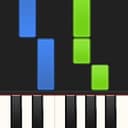
Synthesia, developed by Synthesia LLC, occupies a fascinating and often controversial space in the music education market. Originally conceived as a desktop hobbyist tool, it has evolved into a mobile application for iOS and Android. Synthesia is a gamified keyboard trainer that promises to bypass the traditional, often tedious hurdles of sight-reading sheet music. By displaying notes as colored cascading blocks—a visual style widely known as the “waterfall” visualizer—aligned with an on-screen virtual keyboard, it attempts to gamify the piano learning process. Its market positioning is clear: it sits between casual rhythm games like Guitar Hero and serious educational platforms.
For absolute beginners, the value proposition is tempting. Instead of spending months deciphering clefs, key signatures, and rhythmic notation, learners can plug in a MIDI keyboard and start playing recognizable melodies within minutes. Synthesia LLC has capitalized on this desire for instant gratification, turning what used to be a dry academic discipline into an interactive, visually stimulating feedback loop. However, this positioning is also its greatest source of criticism among classical purists, who argue that the app merely teaches muscle memory rather than actual musicianship. With a monetization strategy that avoids the predatory monthly subscription models that dominate the app stores today, Synthesia remains an appealing choice for self-directed learners who want to explore music on their own terms. It doesn’t pretend to prepare anyone for conservatory auditions; instead, it aims to make the physical act of striking keys accessible, immediate, and, above all, fun.
Key features
- The Waterfall Visualizer: The signature falling-block interface that maps descending colored notes directly onto a virtual or physical keyboard layout.
- Melody Practice (“Wait Mode”): A smart feature that halts the song’s progression until the player presses the correct physical or digital key, eliminating timing stress during early learning.
- Multi-Format File Import: Robust support for importing custom MIDI and MusicXML files, granting access to a virtually infinite library of sheet music and arrangements.
Analysis
To understand Synthesia is to understand the power of visual mapping. Traditional sheet music represents pitch and duration via a highly abstract symbolic language that takes years to master. Synthesia translates this abstraction into spatial geometry: the length of the descending block represents the duration of the note, and its horizontal position corresponds to the physical key. It is an efficient way to bypass the cognitive load of translation. A green bar falls toward middle C, and the finger presses middle C.
This mechanics-first design creates a compelling gameplay loop. With a digital piano or MIDI keyboard connected via USB, the app transitions from a passive visualizer to an active trainer, with feedback designed to be instantaneous and unforgiving: hit a wrong note, and the visualizer registers the error. This is where Wait Mode (Melody Practice) becomes the app’s saving grace. Rather than forcing a rigid tempo—a common frustration in traditional play-along videos—Wait Mode pauses the song completely until the correct key is located and pressed. It transforms a high-pressure performance into an active, self-paced puzzle. This feature alone makes Synthesia a legitimate utility for learning finger placement and basic keyboard navigation.
However, the ease of this system reveals its primary educational bottleneck. Synthesia is good at training muscle memory, but it does almost nothing to build musical literacy. When playing via the falling blocks, the learner is trained to respond to visual stimuli, not to listen to tone, manage posture, or understand the harmonic structure of the piece. The app provides a split-screen option showing traditional sheet music alongside the falling notes, but the human brain will always take the path of least resistance. It is nearly impossible to focus on reading sheet music when bright, colorful blocks are screaming down the screen.
Crucially, because the app relies entirely on MIDI data, it lacks any awareness of expression. A MIDI signal knows when a key is pressed and how hard (velocity), but it cannot teach how to properly weight the wrists, execute a smooth legato, or control a sustain pedal without creating a muddy wall of sound. The hands-separate practice tools and speed controls are well implemented, allowing complex passages to be slowed to a crawl or the left hand muted while the right is mastered. These are professional-grade tools on paper. Yet, without external instruction, a beginner risks developing bad habits—tense hands, poor fingering choices, flat dynamics—that are difficult to unlearn later. It is a useful tool for getting fingers moving, but it should be treated as a supplement to, rather than a replacement for, proper piano pedagogy.
Visuals & performance
Visually, Synthesia is functional rather than beautiful. The primary interface—the waterfall visualizer—is designed for legibility and responsiveness, which is critical for a high-speed trainer. However, the overall UI design feels dated, leaning into a utilitarian aesthetic that recalls the early Windows XP era. While the colorful note blocks are highly customizable, the menus and configuration screens are cluttered with text, sliders, and nested options.
On the technical side, the app is built to be lightweight—a 2D falling-note display is light on hardware by design. Input latency is the make-or-break metric for any interactive music software, and the wired MIDI connection path is the right architectural choice here, keeping the gamified feedback loop as tight as the platform allows.
Platform nuances
Synthesia is available on both iOS and Android, but the experience depends heavily on the hardware setup. Used solely with the on-screen virtual keyboard on a phone-sized touchscreen, the app hits a wall: touchscreen keys are far too small for meaningful multi-finger coordination, and the lack of tactile feedback makes complex chords impractical. On a larger tablet, the on-screen experience is somewhat better for casual monophonic practice, but it remains a compromise.
To unlock the app’s actual utility, a physical digital piano or MIDI controller is non-negotiable. Connecting via USB-OTG or Bluetooth MIDI transforms the app. While Bluetooth MIDI offers wireless convenience, a wired connection is the safer choice for minimizing potential latency. The mobile interfaces are designed with tablet screens in mind, but on smaller smartphone displays, the nested settings menus are cramped and difficult to navigate with precision.
Final verdict
Synthesia is a study in lowering friction. By stripping away the intimidating barrier of traditional music theory, it allows users to experience the joy of music-making from day one. However, it should be viewed as a gateway, not a destination. As a tool for memorizing finger patterns and conquering song layouts, it is effective and genuinely fun. As a comprehensive piano teacher, it is fundamentally incomplete. We recommend it to visual learners and hobbyists with a MIDI keyboard in reach—but once the basics click, it is time to step away from the waterfall and learn how to truly play.
Reviewed by the Rankeno Learning & Lifestyle Desk. Scores are out of 10; the overall score is the desk’s editorial judgement, informed by the four sub-scores above. How we review

