Bottom Line: 2FAS is a masterclass in utility design, offering a privacy-first, open-source alternative to corporate authenticators that somehow manages to be more convenient than its data-hungry rivals.
The brilliance of 2FAS isn't found in the fact that it generates codes—any calculator app could do that with the right library—but in how it handles the onboarding friction and daily workflow of the modern professional. Most authenticators are digital islands; they live on your phone and require you to perform a frantic "glance and type" dance every time you log in to a new service. 2FAS breaks this cycle with its browser extension.
The Extension Workflow: A Silent Revolution
The 2FAS browser extension is the app's "killer feature." Once paired via a QR code, the extension detects a 2FA prompt on your desktop and sends a push notification to your phone. You tap "Approve," verify your identity via a fingerprint, and the code is automatically injected into the browser. It bypasses the cognitive load of memorizing six digits and eliminates the risk of "fat-fingering" a code as the timer expires. In my testing on Android, the latency between the desktop prompt and the mobile notification was negligible, often appearing faster than the proprietary push-to-verify systems used by enterprise giants like Okta or Duo.
The Sovereignty of "No Account"
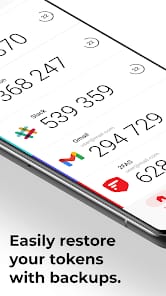
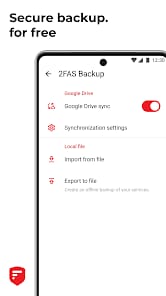
We live in an era of account bloat. Every utility wants a piece of your identity. 2FAS’s refusal to require an account is more than a privacy feature; it’s a structural advantage. By keeping the vault local and the backups encrypted with a user-defined password, 2FAS removes itself as a single point of failure. If the 2FAS servers go offline tomorrow, your app keeps working. If their company is acquired, your data remains encrypted in your personal Google Drive. This is resilient architecture at its finest, contrasting sharply with services that tie your identity to a proprietary cloud that could be shuttered or compromised at any moment.
Interface and Cognitive Load
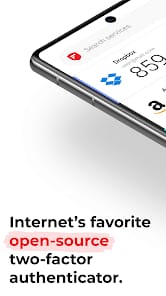
The UI is a study in functional minimalism. It doesn't try to be a "hub" or a "portal." It provides a clean, searchable list of your services, augmented by a robust library of icons. While custom icons might seem like a cosmetic fluff feature, they serve a vital purpose in reducing the time it takes to find a specific token in a list of thirty accounts. The ability to organize and categorize tokens ensures that even power users with hundreds of logins won't feel overwhelmed.
However, the "open-source" nature does lead to some minor aesthetic inconsistencies. While the core app is polished, some of the deeper settings menus feel slightly more "utilitarian" than "premium." But in a security app, I'll take functional transparency over a slick, opaque coat of paint every single time. The lack of a native desktop application—relying instead on the browser extension—might irritate some who work outside of a standard browser environment (like SSH or dedicated app logins), but the manual code backup is always there as a fallback.