


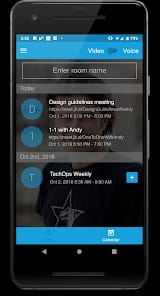

Bottom Line: Jitsi Meet is the rare communication tool that prioritizes the user's right to exist online without a tracking ID, offering a friction-free, open-source alternative to the data-hungry giants of the enterprise world. It is powerful, transparent, and occasionally unpolished, making it a vital—if sometimes temperamental—utility for the privacy-conscious.
To understand why Jitsi Meet matters, one must first look at the friction points of its competitors. Every time a new participant joins a Zoom call, they are greeted by a gauntlet of prompts: download the client, update the client, sign in via SSO, or accept a cookie policy. Jitsi Meet kills this entire workflow. The moment you click a link, you are in the room. This isn't just a convenience; it is a fundamental shift in the user experience flow.
The WebRTC Gamble
At its core, Jitsi Meet is a masterclass in what WebRTC can achieve. By using a selective forwarding unit (SFU) architecture via the Jitsi Videobridge, the platform can handle multiple participants without the massive CPU overhead required by traditional peer-to-peer meshes. This allows for a lightweight experience that feels snappy in a browser tab. However, this reliance on browser-native technologies is a double-edged sword. While it enables the "no-install" dream, it also makes the platform beholden to the quirks of individual browser engines.
If you are running a late-model Chromium-based browser, the experience is generally excellent. But move to a less optimized environment, and the latency begins to creep in. Unlike proprietary apps that can optimize their own custom binaries, Jitsi lives and dies by the standards of the open web. This is a trade-off that advocates for the open web are happy to make, but it’s one that corporate IT departments used to "five-nines" reliability might find unsettling.
Radical Accessibility vs. Moderation
The "open door" policy of Jitsi Meet—where anyone with the URL can walk in—presents a fascinating challenge for moderation. To its credit, Jitsi provides room locks and passwords, but the default state is one of radical openness. This works beautifully for a quick sync or a classroom setting where the URL is shared in a controlled environment. But it lacks the deep, granular permissions found in enterprise suites. You won't find complex "waiting room" hierarchies or advanced role-based access control here. Jitsi is built for collaboration among equals, not for top-down corporate management.
The Self-Hosting Advantage
Perhaps the most significant aspect of Jitsi Meet isn't the public server hosted at meet.jit.si, but the ability to self-host. For organizations in healthcare, legal, or government sectors, the ability to run the entire stack on their own hardware is a non-negotiable requirement for compliance. Jitsi makes this deployment remarkably straightforward. In an era where "the cloud" usually means "someone else's computer," Jitsi allows you to reclaim your own infrastructure. This is where the platform truly shines, offering a level of security auditability that proprietary competitors simply cannot match. You aren't trusting 8x8 with your data; you are trusting the code, and you have the keys to the server.
However, we must address the instability issues reported by the user base. In large-scale meetings, Jitsi can occasionally struggle with synchronization. You might see a "lagging" participant or experience a momentary drop in audio quality that requires a page refresh. These are the growing pains of a project that doesn't have a multi-billion-dollar R&D budget for server-side global optimization. It is the "Linux of video calling"—powerful and free, but requiring a certain level of technical empathy from its users.