


Bottom Line: Notesnook is a masterclass in zero-knowledge productivity, offering a rare trifecta of hardened security, open-source transparency, and an interface that doesn't sacrifice usability at the altar of encryption.
The Architecture of Privacy
The core of the Notesnook experience isn't found in its text editor, but in its security protocol. Most "secure" apps use standard AES-256 encryption, but Notesnook opts for XChaCha20-Poly1305, a modern, high-speed stream cipher that is arguably more resilient against certain types of cryptographic attacks. Combined with Argon2 for password hashing, the app creates a barrier that is practically impenetrable to brute-force attempts.
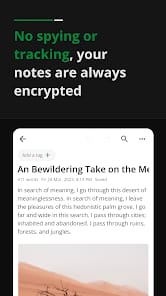
This zero-knowledge architecture is the app's greatest utility. When you sync your data, the server sees only encrypted blobs of noise. Even if Streetwriters were served a subpoena, they physically cannot hand over your notes because they do not hold the keys. In a world of increasing data breaches, this provides a level of psychological "peace of mind" that Notion—which can technically access your data for "support purposes"—simply cannot match.
The Evernote Refugee Experience
For those fleeing the sinking ship of Evernote, Notesnook feels like a homecoming. It adopts the familiar Notebook/Tag paradigm but strips away the bloat. The onboarding friction is remarkably low; the app includes migration tools that actually work, importing years of legacy data without mangling the formatting.
The Markdown support is another highlight. Instead of a clumsy preview mode, Notesnook offers a hybrid editor that renders formatting in real-time. This makes it a formidable tool for technical writers and developers. However, it’s not all sunshine. The "Topics" system, while useful for grouping notebooks, can feel redundant. It adds a layer of abstraction that occasionally makes finding a specific note feel like navigating a Russian nesting doll. You have to buy into their specific organizational philosophy, or you'll find yourself fighting the interface.
Functionality vs. Friction
The true test of any encrypted app is latency. Usually, encrypting every single keystroke and file attachment leads to a sluggish user experience. Notesnook manages to avoid this trap. The sync engine is remarkably snappy, likely due to the efficiency of the Chacha20 cipher.
However, the "free" version is where the friction lives. While the core security is available to everyone, power features like PDF exports and unlimited storage are locked behind a Pro subscription. It’s a fair trade—privacy isn't free to develop—but users spoiled by Google Keep's "everything is free" model might find the paywall for basic file exports a bit jarring. That said, for anyone who values their data, paying for a service that doesn't sell your soul to advertisers is a small price to pay.
The Open Source Verdict
The decision to go open-source is what elevates Notesnook from a "good app" to a "trustworthy platform." In the security world, "security through obscurity" is a failure. By opening their repositories, Notesnook allows independent security auditors to verify their claims. This transparency is a bold move that builds a community of advocates rather than just "customers."