
Overview
Nearly every instrument teacher gives the same advice: play it slowly until it’s clean, then speed up. Plenty of students skip it, because nudging a metronome up a few clicks at a time is tedious bookkeeping. Pocket Jam: Loop & Tempo, developed by Martin Hoeller, automates that bookkeeping and wraps it in a practice player for iPhone and iPad.
The premise is play-along learning. Users import songs from files on their device or from their Apple Music library, then reshape the recording to fit their skill level. They can slow it down without dropping the pitch, transpose it without changing the speed, and loop the bar that keeps tripping them up. Pitch shifting happens in real time, in semitone steps, across a full octave in either direction. Section markers, a zoomable waveform and file export round out the toolkit.
That puts Pocket Jam squarely in the utility camp of music education. Nothing in its feature list points to lessons, notation or a curriculum. The songs are the curriculum, and the app’s job is to make them learnable. It’s a narrow brief and a sensible one. Players who already know what they want to learn don’t need another course. They need a way to hear a guitar solo at a fraction of its speed, in the key their instrument is tuned to.
Reception is positive but thin. The app holds a 4.4 out of 5 from 41 ratings, a sample too small to carry much statistical weight. Those users praise the core audio controls, with some using tempo and transposition to prepare church music. The complaints cluster around Apple Music, the fault line covered below.
Pricing follows the freemium template. The app is free to download, and unlimited imports require a Premium subscription. Gating import volume instead of the audio tools gives prospective buyers a way to evaluate the app on real material before they pay, though the subscription structure is hard to justify for casual use.
Key features
- Pitch-locked slowdown: Tempo drops without the recording sliding down in key, so a slowed passage still matches the player’s tuned instrument.
- Real-time transposition: Pitch moves in semitone steps, up to an octave up or down, independent of playback speed.
- Drag-handle looping: With looping enabled, handles on the play bar set the start and end of the passage to repeat.
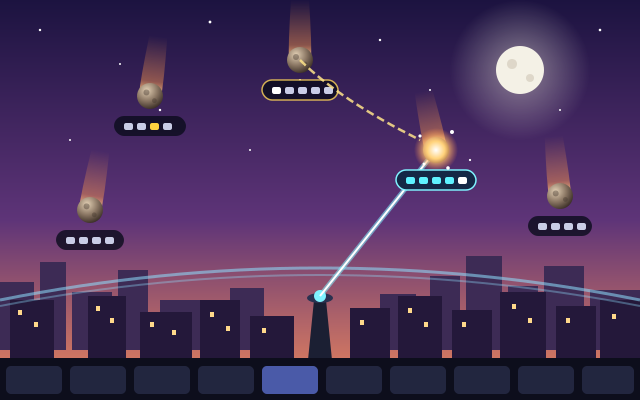
- Speed trainer: Each loop starts slow and gets faster after every repetition. Players set the starting speed and the number of loops needed to reach full tempo.
- Section markers: Jump points for moving between verses, choruses, bridges and solos without scrubbing.
- Zoomable waveform: A visual map of the track that supports scrubbing and isolating sections.
- File export: Songs can be exported as files for use outside the app.
- Two import paths: Device files or the Apple Music library. Streamed Apple Music tracks can’t be pitch-shifted or exported.
Analysis
The Speed Trainer Is the Reason to Choose It
Slowdown and transposition are table stakes for this category. A practice player without them isn’t in the conversation. The speed trainer is where Pocket Jam makes its case. Gradual tempo increase is the method behind most technical practice, and doing it by hand means stopping, adjusting a slider and restarting every few repetitions, losing focus each time. Automating the ramp keeps the player’s hands on the instrument and their attention on the passage.
The parameter model deserves credit. The trainer takes a starting speed and the number of loops needed to reach full tempo. That frames the goal in repetitions, which is how musicians plan practice. “Start well below tempo, reach full speed in ten passes” is a practice plan. A per-loop percentage increment is arithmetic.
Yet App Store users describe the speed trainer controls as confusing, and that tension is instructive. Two interacting settings produce a hidden third value, the size of each tempo step, which the player never sets directly. If the interface doesn’t surface that consequence, users have to infer it by ear. The concept is right. The reports suggest the presentation needs work. As described, the trainer also tops out at full tempo. Players who rehearse above performance speed to build headroom will find no mention of that option.
Looping and Navigation
Looping relies on direct manipulation: enable looping, then drag handles on the play bar to set the start and end points. On a touchscreen that is the obvious approach and the right one. Its weakness is precision, because a fingertip on a phone-width play bar covers a lot of song. The zoomable waveform, which supports scrubbing and isolating sections, is the natural counterweight. A magnified view gives finer control over a single phrase than a full-song timeline can.
Section markers solve a different problem: macro navigation. A player rehearsing a whole song needs to jump from the second verse to the bridge without scrubbing blind. Markers make the song’s structure navigable. Combined with looping, they turn a three-minute track into a set of discrete practice targets, which is how teachers break down repertoire anyway.
Pitch Shifting and the Players It Serves
Real-time transposition across twelve semitones in each direction covers every practical case. A guitarist whose favorite band tunes down a half step can raise the recording to standard pitch instead of retuning. A singer can move a song into a comfortable range. A worship team can audition a song in the key the congregation actually sings, which matches the church-music use App Store reviewers describe. The full octave either way is generous, since most transposition needs sit within a few semitones.
Semitone steps also set a limit. The description lists nothing finer, which matters for older recordings that drift slightly off concert pitch. A player tuned to A440 can’t close a gap of a few cents with whole semitone jumps.
The Apple Music Fault Line
Pitch changes and export are unavailable for streamed Apple Music tracks. Whatever the technical cause, the effect is plain. A user whose library lives in the streaming catalog gets a reduced app, with tempo and looping but no transposition, and transposition is one of the main reasons musicians install this kind of tool.
The limitation produced the harshest feedback on record: one App Store user left a single star and asked for a refund. The developer replied that the restriction is stated in the screenshots. That is disclosure, technically. A limitation that removes a headline feature for streaming-first users deserves plain-language placement in the description buyers read before committing, not only in screenshot copy. The developer is right on the facts and on the wrong side of the communication problem.
Other user reports point the same way: a playback error with Apple Music library songs, which the developer said was likely fixed, and an add-song button that appeared greyed out. Those reports don’t show whether the greyed-out button was a bug or a gate, such as the free tier’s import limit surfacing without explanation. Either reading calls for the same fix, which is clearer feedback about why an action is unavailable. The developer answers reviews, which counts for something in a utility with a small audience.
Pricing and the Import Gate
Premium’s headline benefit is unlimited imports, so the import count is the free tier’s constraint. The weekly tier is poor value for steady practice; the yearly plan is the sensible choice for regular use. The weekly tier fits one scenario: a musician cramming a set list for a single gig. For anyone practicing steadily, it is poor value, and the yearly plan is priced fairly for a tool used several times a week.
Visuals & performance
The interface centers on two elements: the play bar with its loop handles, and the zoomable waveform. The waveform is the correct visual metaphor for this task. Amplitude shapes make a song’s structure legible at a glance, separating a sparse intro from a dense chorus or a drum break, so players can find a passage by sight instead of by ear alone. That is function over decoration, and it suits an app meant to sit on a music stand while the player’s hands are busy.
Where the design falls short, according to user reports, is in explaining itself rather than in how it looks. Confusing speed trainer controls and an unexplained greyed-out button both describe states the interface fails to communicate.
Time-stretching and real-time pitch shifting are among the heavier jobs in consumer audio. Processing a single track this way should still be a modest load for current iPhones and iPads. The quality question that matters more in this category is behaviour at heavy slowdown, where stretching algorithms tend to smear transients. Pocket Jam’s listing makes no claims there. The only playback problem on record is the reported Apple Music library error, which the developer said was likely fixed.
Platform nuances
Pocket Jam is available on iPhone and iPad, and its core interactions, drag handles and a zoomable waveform, translate differently on each.
- iPhone: The most portable option and the most cramped. Dragging loop handles on a phone-width play bar is the least precise version of the interaction, which makes waveform zoom essential.
- iPad: The natural home. A larger canvas gives the handles and waveform room, and a tablet on a stand keeps the controls within reach between repetitions.
- Restrictions: As described, the Apple Music limits on pitch changes and export apply across the board, as does the single subscription structure.
Final verdict
Pocket Jam has a focused idea: pitch-locked slowdown, real-time transposition and drag-handle looping cover the basics of play-along practice. The speed trainer makes disciplined slow practice the default instead of a chore, and that is the strongest reason to consider it.
Its problems are about communication and access more than capability. Streaming-first Apple Music users lose transposition and export, and pointing to the screenshots answers the letter of that complaint without addressing its substance. The speed trainer’s controls confuse some users, and the import gate plus subscription structure make the app hard to justify for casual use.
For musicians who practice with their own files and accept the yearly plan, the core tools are worth considering. Streaming-only users who need key changes should look elsewhere, and most people will find the limitations and controls hard to recommend.
Reviewed by the Rankeno Learning & Lifestyle Desk. Scores are out of 10; the overall score is the desk’s editorial judgement, informed by the four sub-scores above. How we review