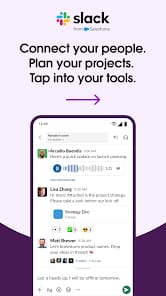

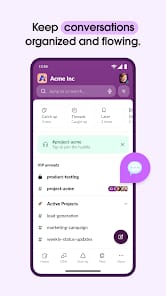


Bottom Line: Slack remains the undisputed titan of digital team communication, a critical conduit for modern enterprises despite its sometimes-exorbitant cost of entry and a mobile experience that occasionally loses its footing.
Slack's enduring dominance in the enterprise communication space isn't an accident; it's a consequence of its meticulous design and strategic understanding of workflow dynamics. At its core, Slack democratizes information flow. The channel-based architecture fosters transparency, ensuring that relevant stakeholders can access discussions pertinent to their work without the labyrinthine email threads that plague traditional communication. This organization is Slack's greatest asset, enabling dynamic teams to move with a speed and clarity often unachievable through other mediums. Messages, files, and decisions are captured within persistent, searchable threads, creating an institutional memory that is invaluable for onboarding new team members or revisiting project histories.
The real power player, however, is Slack's vast integration ecosystem. This isn't just a list of supported apps; it's a testament to an open platform philosophy that empowers teams to tailor their digital workspace precisely to their needs. Whether it’s receiving real-time notifications from a CI/CD pipeline, managing tasks directly from Asana, or launching a Zoom meeting from a channel, Slack positions itself as the central command for an ever-expanding array of business tools. This connectivity transforms Slack from a mere chat application into a sophisticated workflow orchestrator, reducing context-switching and enhancing productivity. It’s a compelling argument for its necessity in a fragmented software landscape.
However, even titans have their Achilles' heel, and for Slack, it often manifests in its pricing structure. The limitations of the free tier — particularly the restriction on message history — serve as a constant reminder that the platform’s full utility is a premium experience. For smaller teams or those testing the waters, hitting that 10,000-message cap is an abrupt jolt, forcing a decision between paying a substantial subscription or losing access to invaluable historical context. This friction point is exacerbated by the perception among some users that the paid tiers are simply too expensive, a barrier to entry that can push budget-conscious organizations towards more cost-effective alternatives, even if those alternatives lack Slack's polish or integration depth.
Furthermore, while the interface is generally intuitive, the sheer volume of notifications and channels in a large organization can quickly become overwhelming, leading to "Slack fatigue." Effective management of notifications and channel participation becomes a learned skill rather than an inherent feature, demanding user discipline to prevent a constant barrage of pings from derailing focus. The "Huddles" feature, while convenient for quick chats, lacks the advanced feature set of dedicated video conferencing solutions, serving as a functional stopgap rather than a full replacement. This is a deliberate choice, certainly, to keep the core product focused, but it highlights where Slack chooses convenience over comprehensive functionality.