
Bottom Line: A visually arresting, scientifically rigorous planetarium that turns the solar system into a tactile playground, marred only by an occasionally aggressive monetization model in its entry-level tier.
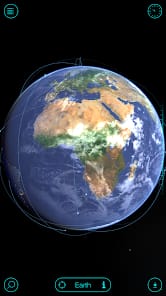
The core experience of Solar Walk isn't found in a menu or a specific button; it's found in the spatial fluidity of its navigation. Most educational apps struggle to translate the incomprehensible distances of space onto a five-inch screen, often resulting in a clunky, disjointed UI. Vito Technology circumvents this by using a gesture-based zoom that feels remarkably natural. Pinching out from the Earth to see the orbital paths of the inner planets, and eventually the entire galaxy, provides a visceral sense of scale that no textbook can replicate.
Temporal Mastery
The "Time Machine" feature is the app’s most sophisticated tool. It isn't just a visual gimmick; it’s a functional calculator. By dragging the temporal slider, you can observe the precise dance of the planets. This utility proves invaluable for understanding phenomena like retrogrades or eclipses. Watching the moon's shadow traverse the Earth in real-time or fast-forwarding to see the next planetary alignment transforms the solar system from a static map into a living, breathing clockwork mechanism. The mathematical rigor behind these simulations is what separates Solar Walk from its lesser competitors.
Data vs. Experience
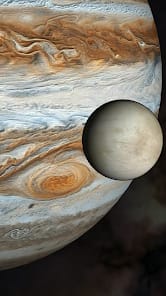
Where the application truly excels is in its density of information. Tapping on a celestial body doesn't just zoom you in; it opens a portal to its biological and historical identity. You can view the internal structure of Jupiter or read about the specific chemical composition of an asteroid's surface. The inclusion of educational movies regarding moon phases and solar eclipses adds a layer of narrative that helps contextualize the raw data.
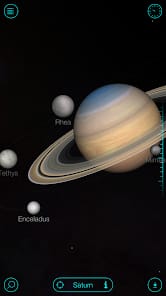
However, there is a recurring tension between the "free" experience and the "premium" reality. The presence of ads in the base version is a jarring interruption to what is otherwise a meditative, atmospheric experience. When you are orbiting Saturn, listening to the sonically immersive soundtrack by AstroPilot, the sudden appearance of a generic mobile game ad feels like a slap in the face. It’s an unfortunate reality of the current app economy, but it’s one that hurts an app of this caliber more than most. To get the most out of Solar Walk, the "Buy" button isn't just an option; it's a requirement for maintaining the dignity of the experience.
The Interface of Exploration
The UI design is remarkably clean, opting for a skeuomorphic-lite aesthetic that prioritizes the celestial bodies themselves over clunky buttons. The navigation remains responsive even when the screen is crowded with orbital paths and labels. There is a certain weight to the movement; the inertia felt when swinging the camera around a planet gives the objects a sense of mass. The sidebar menu, while functional, can feel slightly cramped on smaller smartphone screens, occasionally requiring a level of precision that leads to mis-taps. On a tablet, however, the interface has room to breathe, and the app effectively transforms into a professional-grade desktop planetarium.