

Bottom Line: Termux is the ultimate power-user bridge, transforming Android from a consumption-heavy sandbox into a legitimate, open-ended workstation for developers and sysadmins.
To understand Termux, you have to understand the friction of modern mobile operating systems. Android, for all its "open" branding, is increasingly a system of silos. Termux breaks these silos down by treating the device as what it actually is: a powerful computer running a Linux kernel.
The Power of Localized Development
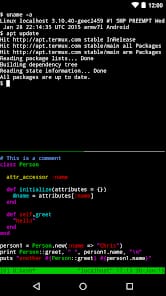
The immediate utility of Termux is found in its ability to host a complete development environment. This isn't a "coding playground" with limited syntax highlighting. You can install Vim, Emacs, or Nano, pull a repository from GitHub, and begin writing code. Because it supports compilers for C, C++, and Go, as well as interpreters for Python and Ruby, the device becomes a portable lab. During my testing, I was able to spin up a Node.js web server locally on a three-year-old Pixel and access it via the device's browser. The latency was non-existent, and the experience felt remarkably like working on a desktop terminal.
Remote Sovereignty
For sysadmins, the value proposition is even more stark. The SSH client within Termux is robust, supporting public key authentication and persistent sessions. When paired with a tool like tmux (Terminal Multiplexer), you can maintain a persistent connection to a remote server, drop the connection as you walk into a subway tunnel, and resume exactly where you left off when you emerge. This isn't just a convenience; it's a professional necessity that is executed here with more stability than many "premium" paid SSH apps on the Play Store.
The Versioning Elephant in the Room
We have to address the "Play Store problem." For the uninitiated, the version of Termux currently hosted on the Google Play Store is essentially a legacy relic. Due to changes in Android's API level requirements regarding executable code, the Play Store version can no longer receive updates. To get the real experience—the one that actually works—you must migrate to the F-Droid version or pull the APK directly from GitHub. This creates a significant onboarding friction for casual users, but for the target audience, it’s a minor hurdle that serves as a "you must be this tall to ride" sign.
The Interface Paradox
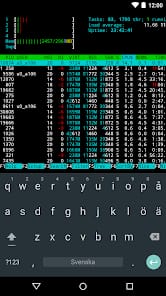
The interface is, by definition, sparse. It is a black box awaiting input. However, the developers have added a critical "extra keys" row above the software keyboard. This is essential, as the standard Android keyboard lacks the Ctrl, Alt, and Escape keys vital for terminal navigation. While this works in a pinch, Termux truly sings when paired with a physical Bluetooth keyboard. On a tablet, this setup transforms the hardware into something resembling a 12-inch Linux laptop. Without a physical keyboard, you are fighting a war of attrition against your own thumbs.