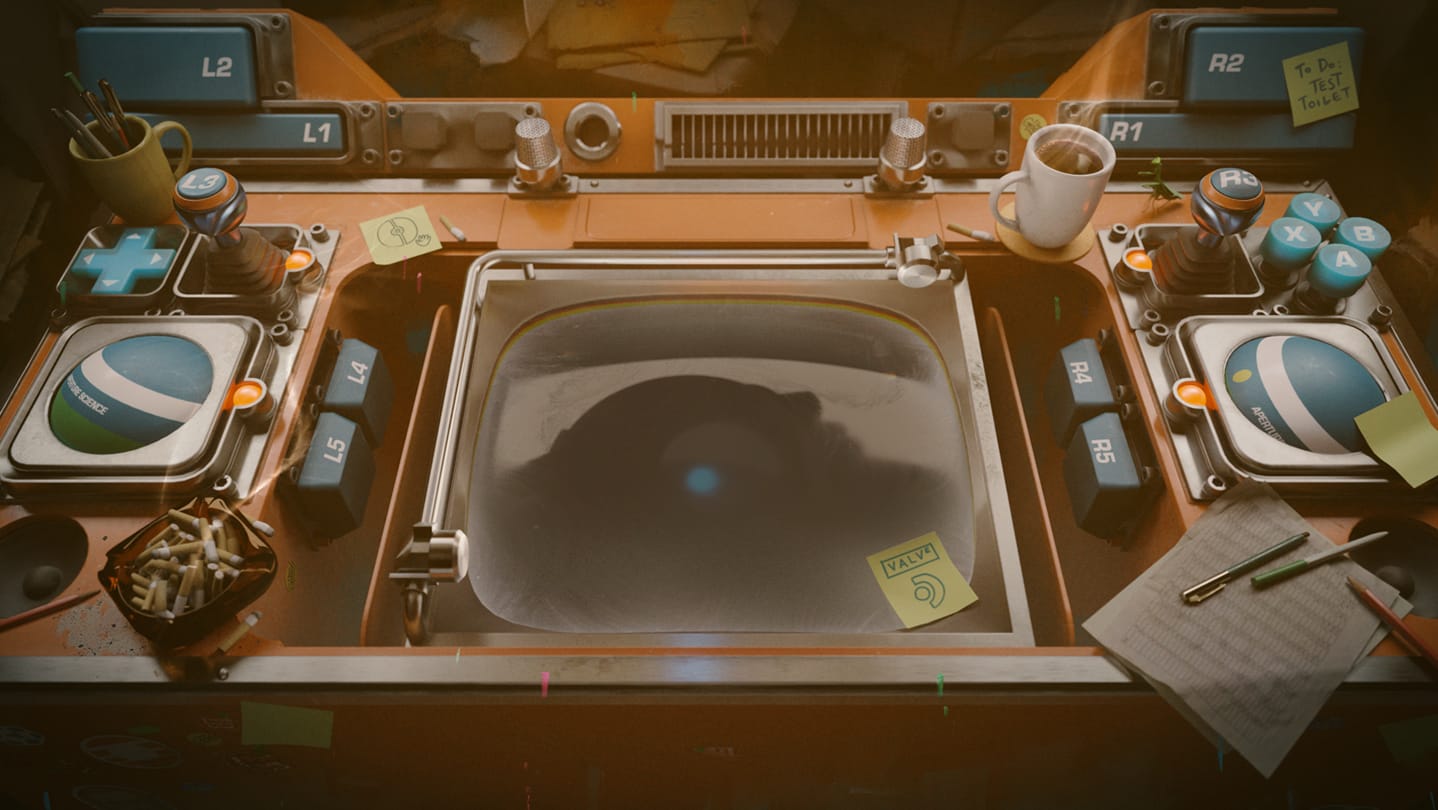

Bottom Line: Aperture Desk Job is a hilarious, high-fidelity return to gaming’s most cynical universe that proves hardware tutorials don't have to be a chore. It is thirty minutes of pure, concentrated Valve wit that justifies its existence through sheer personality.
The Art of the Tutorial
Tutorials are typically the "onboarding friction" that players tolerate to get to the "real" game. Valve flips this dynamic. In Aperture Desk Job, the tutorial is the game. The loop is deceptively simple: you sit at a desk, and you press buttons as instructed by Grady. However, the haptic implementation here is the best in class. When you're testing the seals on a toilet, the vibrations aren't just generic rumbles; they mimic the mechanical clunk of industrial machinery. It’s a masterclass in using skeuomorphism to bridge the gap between digital inputs and physical sensation.
As the game progresses, the "Desk" evolves. What starts as a simple inspection station becomes a weaponized, gun-toting rig. This escalation serves a dual purpose. First, it keeps the player engaged with a classic "what happens next?" hook. Second, it shifts the focus from simple button presses to complex inputs like gyro aiming during a chaotic warehouse shootout. By the time you’ve finished the short campaign, you’ve mastered the Steam Deck’s most controversial features without ever feeling like you were in a classroom.
Narrative Weight in a Short Package
It would have been easy for Valve to use a generic robot and some text boxes. Instead, we get Grady. Grady is the perfect foil to the player’s silent protagonist—over-eager, ethically flexible, and hilariously out of his depth. The writing avoids the "lazy AI" tropes of being overly helpful or repetitive. Instead, the dialogue is punchy and moves the plot forward with a frantic energy.
The inclusion of Cave Johnson isn't just fan service; it’s the narrative anchor that makes this feel like a legitimate entry in the Portal universe. The way Valve handles Cave’s "current state" (no spoilers here) is both tragic and absurd, perfectly fitting the established lore. The pacing is relentless. Because the game is only 30 minutes long, there is no room for filler. Every line of dialogue is a punchline or a plot beat, and every interaction is a new discovery of what the hardware can do.
Interface as Gameplay
The "Sitting Simulator" label is more than a joke; it’s a design philosophy. By tethering the player to a desk, Valve removes the "latency" of spatial navigation. You don't have to worry about platforming or camera angles. This allows the player to focus entirely on the interface. The UI is clean, bold, and reactive. When Grady asks you to check a box, the physical button on your controller corresponds exactly to the on-screen prompt. This creates a sense of "digital-physical synchronicity" that is rare in gaming. It’s not just about playing a game; it’s about operating a machine.