Bottom Line: Cryptomator is the essential missing link for anyone who trusts the cloud's convenience but distrusts its keepers. It provides a robust, transparent layer of "zero-knowledge" encryption that returns data sovereignty to the user.
The Architecture of Privacy
To understand Cryptomator, one must understand the "Zero-Knowledge" philosophy. Most cloud storage services offer encryption "at rest," meaning they encrypt your data on their servers. The flaw is obvious: they hold the decryption keys. Cryptomator shifts this responsibility. By utilizing client-side encryption, the plaintext never leaves your device. This isn't just a feature; it’s a fundamental shift in the power dynamic between user and provider.
The software utilizes a sophisticated file-level encryption method. Unlike disk encryption (like VeraCrypt or BitLocker), which creates a single large container that must be re-uploaded in its entirety every time a change is made, Cryptomator encrypts files individually. This is a crucial distinction for cloud use. If you edit a single 2KB Word document inside a 50GB vault, only that 2KB encrypted file is updated and synced. This minimizes sync latency and prevents the massive bandwidth overhead that usually plagues encrypted containers in the cloud.
The User Experience Loop
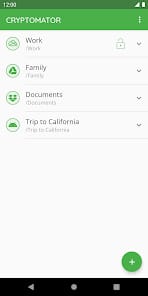
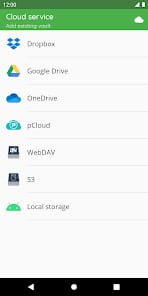
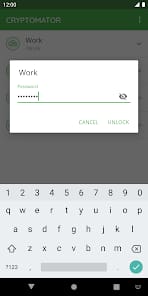
The onboarding friction is surprisingly low for a tool of this technical depth. Setting up a vault involves choosing a location in your existing cloud folder and creating a master password. From there, the "magic" happens through the creation of a virtual drive. On mobile, this manifests as a bridge to the system's native file picker.
The daily workflow is effectively invisible. You move a file into the vault, and it is instantly obfuscated. Filenames, directory structures, and file sizes are all masked to varying degrees to prevent metadata leakage. However, there is a psychological weight to this level of security. Because Cryptomator is zero-knowledge, there is no "Forgot Password" link. If you lose your master key, your data is effectively incinerated. This is the price of true security, and Skymatic makes no apologies for it.
Interface and Mobile Execution
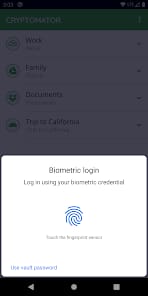
While the desktop version feels like a native part of the OS, the mobile applications on iOS and Android have to work harder. They act as a secure gateway. The interface is purposefully sparse—there are no unnecessary social features or "discovery" tabs. It is a utility in the purest sense.
The app shines in its integration with the iOS Files app and Android’s storage access framework. Instead of forcing you to use a proprietary browser, Cryptomator allows other apps to "see" the decrypted vault when it is unlocked. This means you can open an encrypted PDF directly in Adobe Acrobat, edit it, and save it back to the vault without the file ever existing in an unencrypted state on your local storage for longer than necessary. It is a sophisticated dance of permissions and cryptographic handshakes that feels remarkably natural.