
Bottom Line: GeoGebra is a formidable, open-source juggernaut that collapses the distance between abstract algebra and visual geometry with surgical precision. It is the gold standard for dynamic mathematical software, rendering the expensive, clunky graphing calculators of yesteryear obsolete.
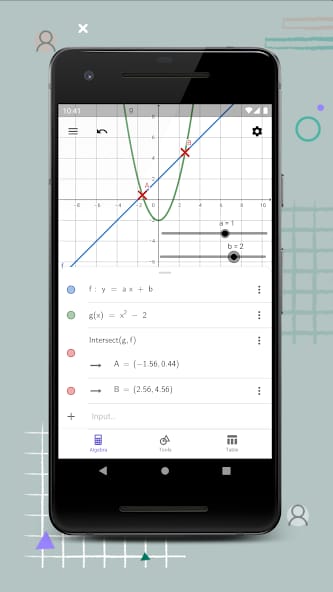
To understand why GeoGebra matters, one must first look at the "Dual View" architecture. This isn't merely a convenient split-screen layout; it is a fundamental shift in how mathematical data is processed. In most software, the graph is a static output—a picture of a solved problem. In GeoGebra, the graph is the interface. The interactivity here creates a feedback loop that is essential for deep learning. When a user drags a slider to adjust the slope of a line, they aren't just seeing a change; they are developing an intuitive, tactile sense of how variables dictate reality. This is the death of the "black box" approach to mathematics.
The CAS Engine and the Power of Symbols
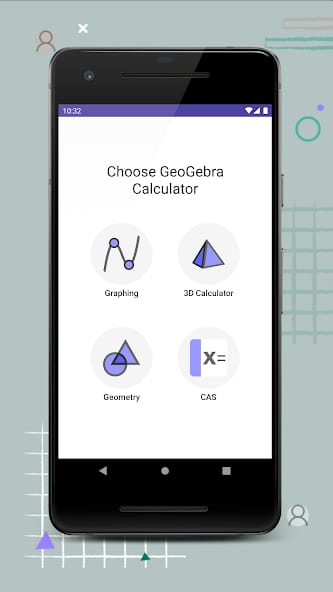
The inclusion of a Computer Algebra System (CAS) is what separates the toys from the tools. Most mobile graphing apps are essentially glorified scientific calculators with a drawing layer. GeoGebra’s CAS allows for symbolic manipulation, which is critical for higher-level mathematics. If you need to expand a polynomial or find the exact symbolic derivative of a trigonometric function, GeoGebra handles it with the same ease as simple addition.
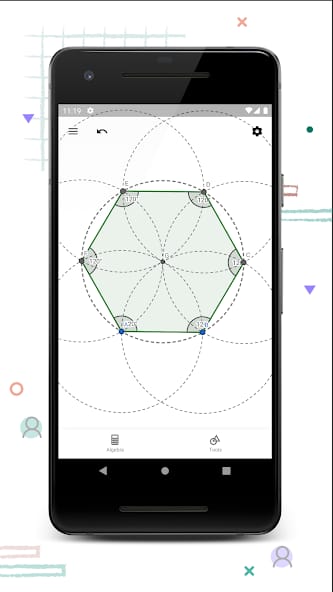
However, this power comes with a cost: onboarding friction. While the basic geometry tools are intuitive enough for a middle-school student to pick up in minutes, the more advanced CAS commands and 3D scripting requires a level of syntactical precision that can be daunting. There is a "language" to GeoGebra that must be learned, and for those used to the "plug-and-play" nature of modern apps, the steep learning curve for complex constructions might feel like a barrier.
The Community Ecosystem
The brilliance of GeoGebra isn’t just in the code; it’s in the Resource Repository. With over a million interactive worksheets and simulations, the platform functions as a massive, crowdsourced curriculum. Educators don't have to build every simulation from scratch; they can pull from a global library of simulations that explain everything from the Pythagorean Theorem to the behavior of chaotic systems. This community aspect transforms the software from a static utility into a collaborative laboratory. It is this "network effect" that makes GeoGebra nearly impossible for paid competitors to displace.
Interface Philosophy
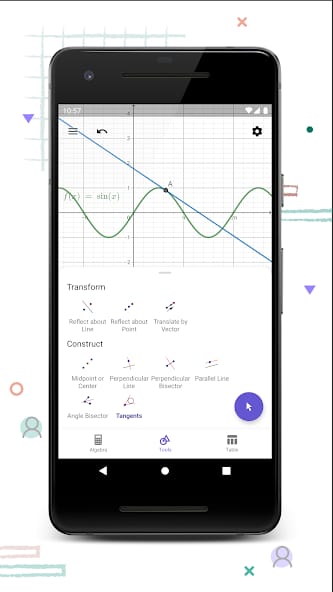
The UI design is a study in functional minimalism. It avoids the skeuomorphism of trying to look like a physical calculator, opting instead for a clean, workspace-oriented aesthetic. The sidebar remains out of the way until needed, and the input bars are positioned for rapid entry. It is a "quiet" interface—it doesn't distract with unnecessary flourishes, ensuring that the mathematics remains the focal point.