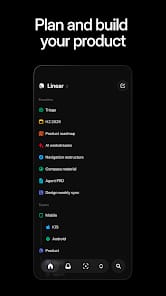




Bottom Line: Linear is a high-performance rejection of enterprise bloat, trading endless customization for a rigid, lightning-fast workflow that finally treats issue tracking like a professional instrument rather than a data-entry chore.
To understand Linear, you have to understand the Keyboard-First Design. In most productivity tools, the mouse is the primary driver, and shortcuts are an afterthought. Linear flips this. The Command+K menu is the heartbeat of the experience. For a power user, the friction of hunting for a "New Issue" button is a cognitive tax. In Linear, that friction evaporates. You hit a key, you type a command, and the system responds with zero perceptible lag. This isn't just about saving seconds; it’s about staying in a state of flow.
The Workflow Architecture
Linear replaces the messy "sprint" rituals of Scrum with Cycles. The difference is subtle but vital. Cycles are designed to be automated and low-overhead. When a cycle ends, unfinished issues don't just sit in a graveyard; the system asks you where they should go. This prevents the "backlog bloat" that kills team morale. The inclusion of Linear AI further polishes this experience by automatically generating summaries of long comment threads or suggesting labels based on the issue description. It feels like the tool is working for you, rather than you working for the tool.
The "Anti-Enterprise" Constraint
Linear's biggest strength is also its most significant barrier: its lack of flexibility. If your organization requires complex, multi-layered reporting or custom data fields that deviate from the standard software development lifecycle, Linear will feel like a straitjacket. It refuses to let you build a "General Ledger" inside your issue tracker. This is a deliberate design choice. By limiting the "how," Linear ensures that the "what" remains legible. The interface is minimalist to a fault, stripping away the visual noise of avatars, colorful tags, and nested menus until only the task remains. It is an aesthetic of discipline.
Integration and Automation
The tool’s relationship with the developer ecosystem is symbiotic. The bidirectional integrations with GitHub and GitLab are some of the most robust I’ve tested. When a developer opens a Pull Request and links a Linear issue, the status updates automatically. When the PR is merged, the issue closes. This sounds like a standard feature, but in Linear, it works with a level of reliability that makes manual status updates feel archaic. It’s about reducing the "meta-work"—the work you do to talk about the work you're doing.