Bottom Line: SkyView is the gold standard for accessible AR astronomy, stripping away the friction of celestial navigation to provide a literal window into the cosmos that works just as well in a remote canyon as it does in a suburban backyard.
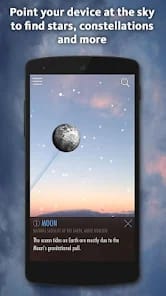
The brilliance of SkyView lies in its handling of onboarding friction. Most astronomical tools require you to understand your latitude, longitude, and the current local sidereal time before they become useful. SkyView asks for none of that. You point the phone, and the universe responds. However, this simplicity belies a complex engine running under the hood. The app relies heavily on the magnetometer and gyroscope of your Android device, and while Terminal Eleven has optimized the software to handle these inputs, the experience is ultimately tethered to the quality of your hardware.
The Interactive Loop
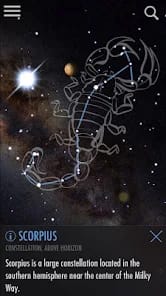
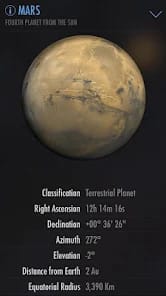
The core loop of SkyView is one of discovery and deep-diving. You see a bright dot in the sky, you point your phone, and the app identifies it as Jupiter. But it doesn't stop there. Tapping the object opens a wealth of data—orbital details, distance from Earth, and mythological history. This is where the educational value shifts from "neat trick" to "comprehensive resource." The Sky Paths feature is particularly impressive; it doesn't just tell you where the Sun is now, but shows you the arc it will take. For photographers or hikers, this is a utilitarian masterstroke, allowing for the planning of golden hour shots or determining when a valley will fall into shadow.
Temporal Exploration
The Time Travel feature is more than a gimmick. By allowing users to scrub through time, the app transforms a static map into a dynamic simulation of orbital mechanics. It’s one thing to be told the planets move at different speeds; it’s another to watch Mars overtake Saturn in a ten-second timelapse. This feature provides a sense of the "clockwork universe" that a flat star chart simply cannot convey. It turns the sky into a laboratory where the user can experiment with time and perspective.
The User Interface and Experience
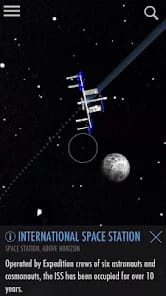
The interface is remarkably quiet. There are no intrusive menus or flashing notifications to distract from the stars themselves. Terminal Eleven understands that the "content" is the sky, and the UI should act only as a transparent layer of metadata. The AR tracking is generally smooth, though users on lower-end Android devices may notice a slight "float" or latency in the icons. This isn't necessarily a failure of the app, but a limitation of mobile sensor technology. The inclusion of man-made objects, like the Hubble Space Telescope and the ISS, adds a layer of modern relevance that makes the app feel connected to current events, not just ancient history.
However, the "Lite" version of the app can be somewhat aggressive with its prompts to upgrade to the full version. While Terminal Eleven deserves to be paid for their work, the frequent interruption of the "sense of wonder" by a commercial prompt is a minor friction point in an otherwise elegant experience. Despite this, the core functionality remains robust enough that even the free version outclasses most paid competitors.