
Bottom Line: Syncthing is a masterclass in decentralized file management that trades the "magic" of corporate clouds for total privacy and a slightly steeper learning curve. It is the definitive solution for those who refuse to let their data reside on someone else's server.
The Architecture of Autonomy
To understand Syncthing, you have to understand its refusal to compromise. Most sync tools prioritize onboarding friction reduction by having you sign in with a Google or Apple account. Syncthing ignores this entirely. You "introduce" devices to one another via long-form cryptographic IDs or QR codes. It is a handshake that feels more like a secure military exchange than a consumer app setup, and that is precisely the point.
Once the mesh is established, the utility fades into the background. The continuous real-time synchronization is remarkably efficient. By using a block-based transfer system, Syncthing only moves the parts of a file that have changed. If you are updating a massive database or a 400-page manuscript, it doesn't re-upload the whole thing; it surgically updates the altered bits. On a local network, the speeds are limited only by your router's throughput, often making "the cloud" look glacial by comparison.
Interface vs. Utility
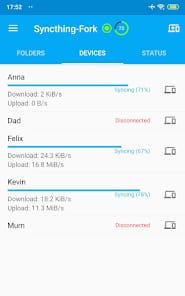
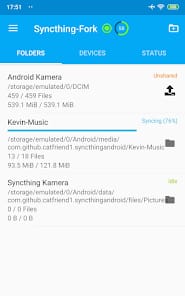
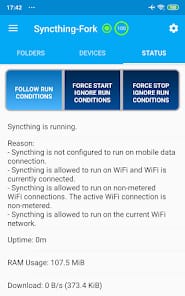
The interface is a study in functional minimalism. It isn't "pretty" in the way a Silicon Valley startup's app is—there are no playful animations or soft gradients. Instead, you get a clean, information-dense dashboard that tells you exactly what is happening: transfer rates, global states, and out-of-sync items. For the average user, this might feel like looking under the hood of a car. For the power user, it is a cockpit.
The conflict resolution logic is particularly impressive. In a decentralized system, "truth" is relative. If two devices modify a file while offline, Syncthing doesn't just pick a winner and delete the other. It renames the conflicting version and lets you sort it out. This level of data integrity is where the "Senior" in Senior Tech Critic looks for value. It respects the file above the convenience.
The Friction of Freedom
The biggest hurdle for Syncthing isn't its code; it's the network topology of the modern internet. Getting two devices to talk to each other through restrictive firewalls or corporate NATs can occasionally require some technical tinkering. While Syncthing includes relay servers to help bridge these gaps, relying on them can introduce latency. Furthermore, because there is no central server, both devices must be online at the same time to sync. If you turn off your laptop before your phone has finished pulling the latest photos, the sync halts. This is the trade-off: you are the server. If you want 24/7 availability, you’ll need a "node" that stays on, like a Raspberry Pi or a NAS.