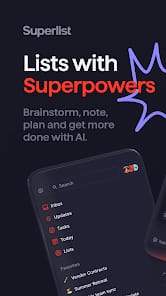

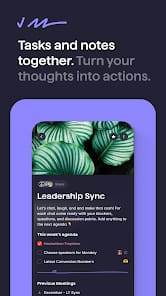

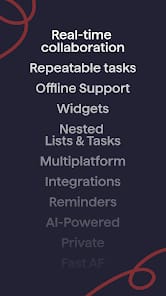
Bottom Line: Superlist, born from the minds behind Wunderlist, presents a sleek, feature-rich productivity suite aiming for cross-platform dominance, but while its AI flourishes and collaborative tools impress, it navigates a competitive landscape with a few lingering performance snags and a feature set still finding its ultimate stride.
Superlist's ambition is palpable from the moment of onboarding. The infinite nesting lists are not just a bullet point feature; they represent a fundamental rethinking of how complex projects can be deconstructed. For power users and project managers, this hierarchical capability moves beyond mere tagging, offering a spatial clarity to tasks that many flat list applications simply cannot achieve. It feels less like a series of disparate to-dos and more like a living, breathing outline of objectives, each capable of its own sub-objectives, discussions, and attachments. This deep organizational capacity, however, introduces a subtle challenge: the learning curve, while not steep, demands a conscious shift from conventional task management paradigms. Users accustomed to a simpler, flatter structure might initially find themselves over-organizing, but once mastered, the depth is genuinely liberating.
The cross-platform syncing is, frankly, what one expects from any serious productivity contender in 2026, yet Superlist executes it with a commendable lack of friction. The promise of "access anywhere" is fully realized, with changes propagating across devices almost instantaneously. This foundational stability underpins the entire collaborative offering. Shared lists and task assignments are not novel concepts, but Superlist's implementation feels organic, fostering genuine teamwork rather than simply layering a communication channel on top of a task list. The integrated group messaging is concise and keeps context where it belongs—right alongside the task it pertains to—avoiding the fragmented conversations often suffered when tasks live in one app and discussions in another. The integrations with Gmail, Google Calendar, and Slack are equally vital, transforming Superlist into a credible central nervous system for digital operations, reducing the constant context switching that saps productivity.
Where Superlist truly attempts to differentiate itself is in its nascent, yet promising, AI capabilities. Voice-to-task creation is a genuine time-saver for those fleeting ideas that demand immediate capture. Speaking a task into existence, complete with due dates or assignees, bypasses the often-cumbersome process of typing and categorizing, effectively lowering the barrier to entry for idea capture. The email summarization feature, while still maturing, demonstrates significant potential. In an age of overflowing inboxes, an intelligent digest of correspondence could genuinely reclaim precious minutes, allowing users to quickly triage and act without getting bogged down in minutiae. These AI features aren't perfect; occasionally, voice commands misinterpret intent, and summaries can miss critical nuances. However, the direction is clear: Superlist is investing in computational assistance to fundamentally alter how users interact with their workflow, striving to anticipate needs rather than merely react to inputs. It's a calculated gamble that, if refined, could reshape expectations for productivity software.
Despite these advancements, Superlist is not without its growing pains. The user feedback loop frequently points to a desire for more advanced features that established rivals have refined over years. Granular reminder settings, sophisticated filtering, and more robust widget options are not mere niceties; they are often table-stakes for users deeply embedded in a particular workflow. Furthermore, performance issues on certain Android devices, while not universal, indicate areas where optimization is still required. A productivity application must be unfailingly reliable, and any stutter or delay can shatter the illusion of seamless efficiency it strives to create. The application's youth is its double-edged sword: it offers a fresh perspective but occasionally lacks the comprehensive, battle-hardened feature set of its more venerable competitors.